
GeoUpload Instructions
What is a GeoUpload?
GeoUploads are place-based compositions that players are required to create in order to advance the Vanishing Leaves narrative and complete the game. During gameplay, you will receive detailed instructions from your mission team to guide you through the specifics of each particular GeoUpload. There are three types of GeoUploads you will have to create during the game: text-based, audio, and photo/video.
Text Upload:
Touch the paper icon in the GeoUploads section of your mission menu. Use the description box to enter your content.
Audio Upload:
Touch the microphone icon in the GeoUploads section of your mission menu. Press the circle button at the bottom of the screen to begin recording. You will have the option to “use” or “retake” the audio. Once you have decided to use the audio, you will be taken to a screen where you must apply the appropriate tag to the GeoUpload.
Photo/Video Upload:
Touch the camera icon in the GeoUploads section of your mission menu. Select either Video or Photo. Press the circle icon to record. You will have the option to “use” or “retake” the photo/video. Once you have decided to use the photo/video, you will be taken to a screen where you must apply the appropriate tag to the Geo-Upload.
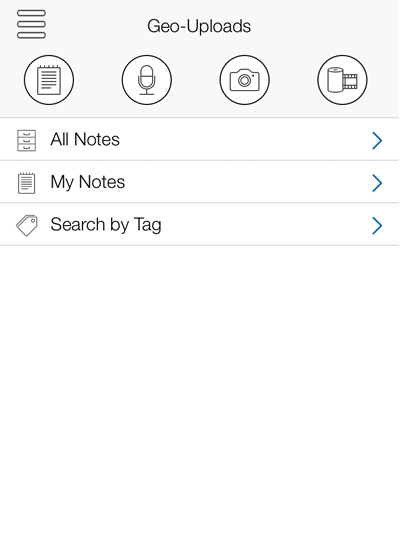
GeoUpload Main Screen
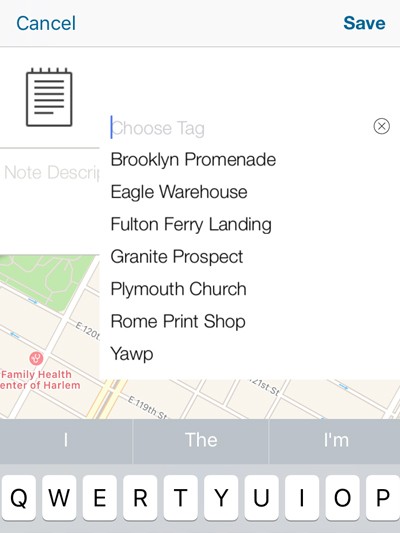
Tagging a GeoUpload
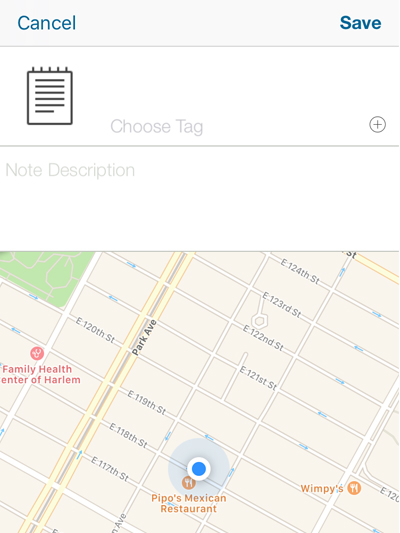
Text Note
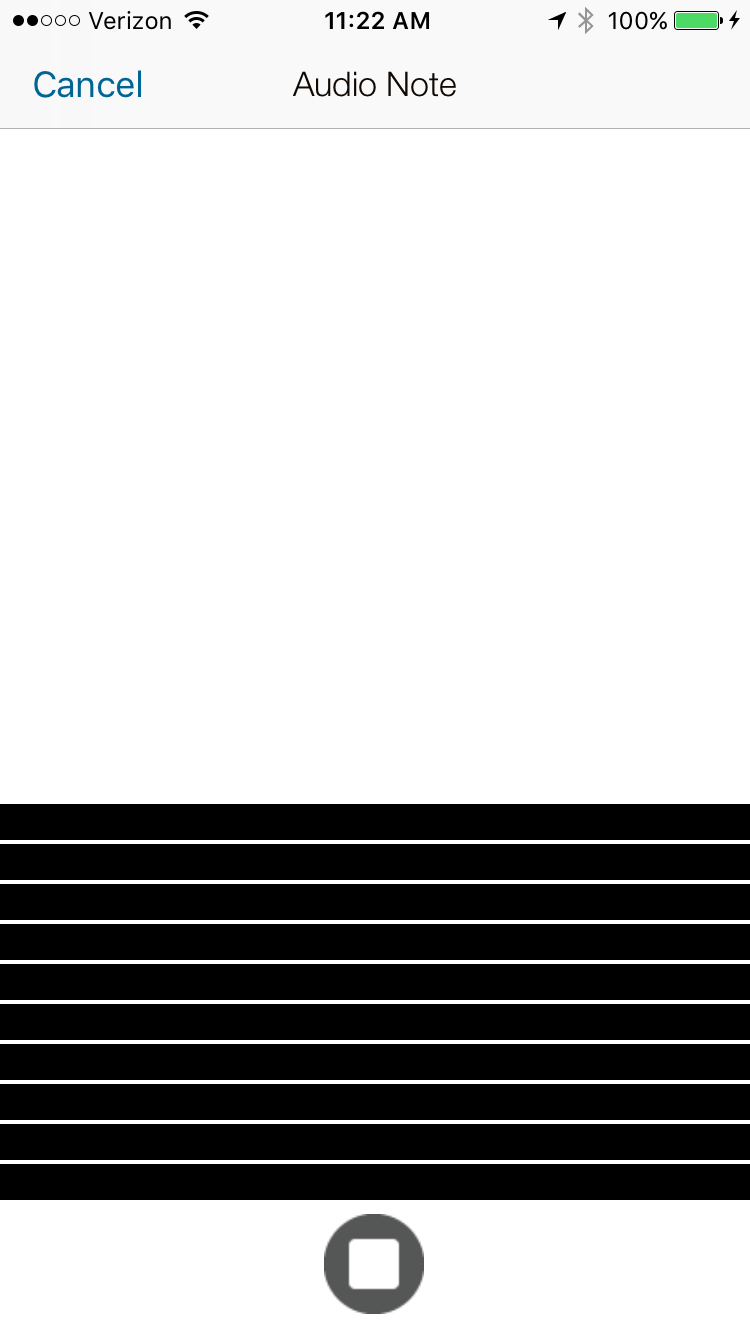
Audio Note

Image/Video Note
Tagging
Tagging is a key part of each Geo-Upload. Each location in the game has a matching GeoUpload tag which you will need to apply before you are finished. In order to apply a tag, just tap the “Choose Tag” text or the small (+) symbol to select the appropriate tag from the dropdown menu.